
Sky mapping apps have transformed how we explore the night sky. What once required star charts, red torches, and years of memorisation can now be accessed instantly through a smartphone or tablet.
These tools act as interactive celestial guides, helping users identify stars, constellations, planets, satellites, and deep-sky objects in real time. Whether you are a complete beginner or an experienced backyard observer, sky mapping apps bridge the gap between curiosity and clarity.
But not all sky mapping apps are created equal. Understanding what they do, and what features matter, makes all the difference.
What Are Sky Mapping Apps?

At their core, sky mapping apps use your device’s GPS, compass, and motion sensors to determine your location and orientation. By combining that data with astronomical databases, they generate a live, accurate map of the sky above you.
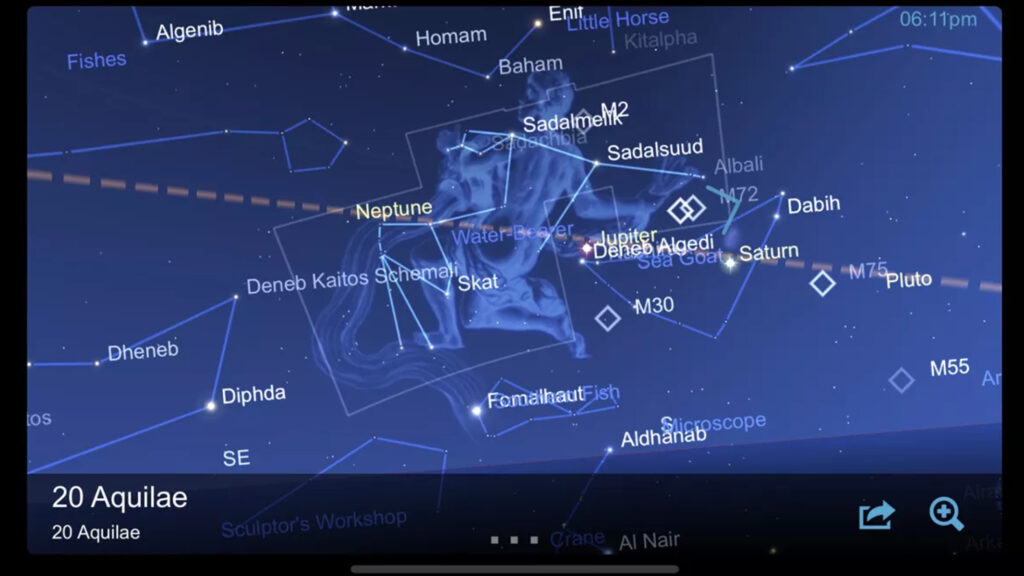
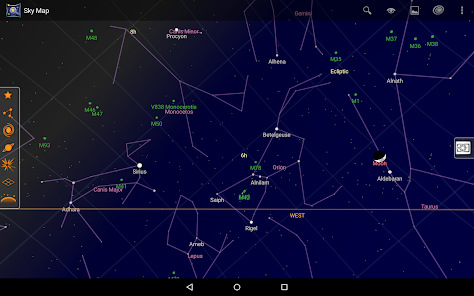
When you point your device toward the horizon or overhead, the app overlays stars and celestial objects onto your screen. This augmented reality style view allows users to identify objects instantly.
Behind the scenes, these apps rely on star catalogues, planetary ephemerides, and real-time tracking calculations. What feels simple on the surface is powered by precise astronomical modelling.
What Sky Mapping Apps Can Do
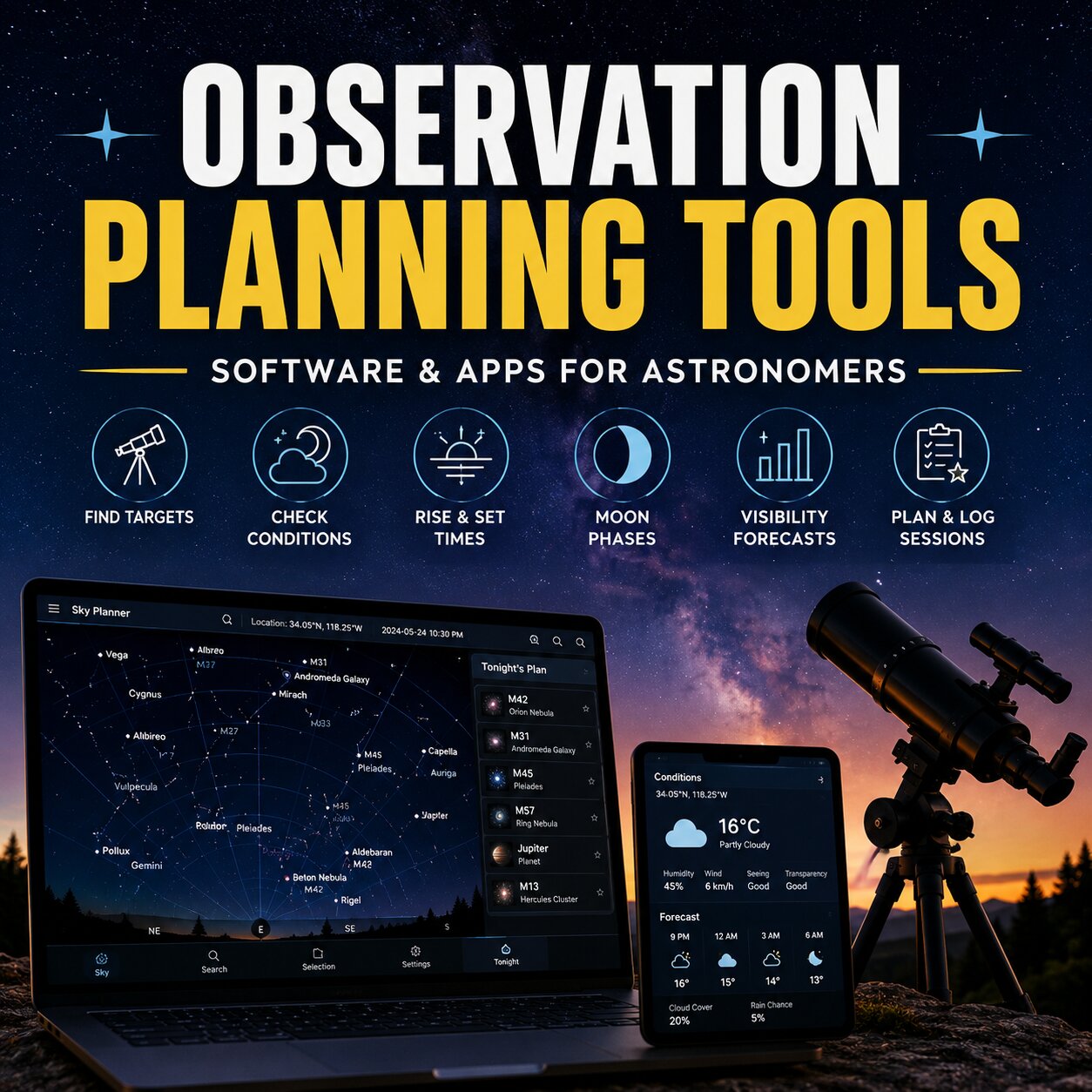
Modern sky mapping apps go far beyond simple constellation outlines. They can display the positions of planets, track the movement of the Moon, predict meteor showers, and even show artificial satellites crossing overhead.
Some tools allow you to “fast forward” time, showing how the sky will change over hours, days, or even months. This feature is particularly useful for planning astrophotography sessions or preparing for rare celestial events.
More advanced versions include telescope alignment modes, object filtering by magnitude, and detailed information panels that explain the science behind what you are viewing.
For many observers, these apps become digital observatories in their pockets.
Key Features to Look For
When choosing sky mapping apps, certain features improve both accuracy and usability.
One essential feature is a clean, adjustable night mode. Preserving your night vision is critical during stargazing, and overly bright screens can disrupt dark adaptation.
Object search functionality is also important. Being able to type in a star, planet, or Messier object and immediately locate it saves time and frustration.
Accuracy calibration matters as well. Good apps allow compass recalibration and sensor fine-tuning, which is especially useful in urban environments where interference can affect readings.
If you use binoculars or a telescope, look for tools that include field-of-view simulations. This allows you to see how objects will appear through specific optics before you even aim your equipment.
Urban vs Dark-Sky Use
Sky mapping apps are particularly useful in light-polluted areas. In cities where only the brightest stars are visible, digital overlays help reconstruct the invisible constellations hidden by urban glow.
In darker locations, these apps become powerful navigation tools. They help you identify faint deep-sky objects, track planetary conjunctions, and monitor satellite passes.
Because sky mapping apps adjust to your geographic coordinates, they work anywhere in the world. Whether observing from a Cape Town suburb or a remote Karoo farm, the sky model adapts automatically.
Limitations and Best Practices
Despite their power, sky mapping apps are not perfect. Magnetic interference from buildings, vehicles, or electronic devices can affect compass accuracy. Periodic recalibration improves reliability.
It is also wise not to rely solely on digital tools. Learning the major constellations and cardinal directions enhances long-term understanding and makes you less dependent on technology.
Used wisely, sky mapping apps support, rather than replace, traditional observational skills.
Device Limitations and Calibration Issues
One common frustration with sky mapping apps is compass accuracy. Some smartphones do not include a true internal magnetometer, while others may have one that struggles with interference.
If your phone lacks an internal compass, the augmented reality “point and identify” mode may not align correctly with the sky. Instead of smoothly tracking where you aim your device, the map can drift or lag behind your movement.
In these cases, users often need to manually drag or rotate the sky map on the screen to match what they see overhead. While this is less seamless, it still allows accurate identification once you align the stars manually.
Even phones with a built-in compass can suffer from calibration issues. Magnetic phone cases, nearby vehicles, metal railings, or electronic interference can all affect accuracy. Performing regular compass calibration — usually by moving the phone in a figure-eight motion — often improves alignment.
Understanding your device’s limitations helps set realistic expectations. Sky mapping apps are powerful tools, but their performance depends partly on the hardware inside your pocket.
Expanding Your Night Sky Experience
Sky mapping apps lower the barrier to entry for astronomy. They make the sky feel accessible, interactive, and dynamic.
Whether you are locating Saturn for the first time, planning an early-morning planet alignment, or simply identifying a bright star above your roofline, these tools provide clarity and confidence.
The night sky has always been there. Now, with the right digital guide in hand, it is easier than ever to understand it.